
WWE 2K24 Roster grid
273 images, from the TierMaker template “WWE 2K24 Roster”. Make a WWE 2K24 Roster grid of 9 to 25 squares and write your own label on each one.
273 to choose from · drag into a square, or tap a tile then a square
 #1
 #2
 #3
 #4
 #5
 #6
 #7
 #8
 #9
 #10
 #11
 #12
 #13
 #14
 #15
 #16
 #17
 #18
 #19
 #20
 #21
 #22
 #23
 #24
 #25
 #26
 #27
 #28
 #29
 #30
 #31
 #32
 #33
 #34
 #35
 #36
 #37
 #38
 #39
 #40
 #41
 #42
 #43
 #44
 #45
 #46
 #47
 #48
 #49
 #50
 #51
 #52
 #53
 #54
 #55
 #56
 #57
 #58
 #59
 #60
 #61
 #62
 #63
 #64
 #65
 #66
 #67
 #68
 #69
 #70
 #71
 #72
 #73
 #74
 #75
 #76
 #77
 #78
 #79
 #80
 #81
 #82
 #83
 #84
 #85
 #86
 #87
 #88
 #89
 #90
 #91
 #92
 #93
 #94
 #95
 #96
 #97
 #98
 #99
 #100
 #101
 #102
 #103
 #104
 #105
 #106
 #107
 #108
 #109
 #110
 #111
 #112
 #113
 #114
 #115
 #116
 #117
 #118
 #119
 #120
 #121
 #122
 #123
 #124
 #125
 #126
 #127
 #128
 #129
 #130
 #131
 #132
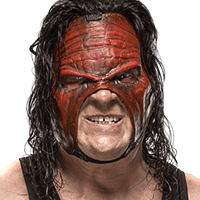 #133
 #134
 #135
 #136
 #137
 #138
 #139
 #140
 #141
 #142
 #143
 #144
 #145
 #146
 #147
 #148
 #149
 #150
 #151
 #152
 #153
 #154
 #155
 #156
 #157
 #158
 #159
 #160
 #161
 #162
 #163
 #164
 #165
 #166
 #167
 #168
 #169
 #170
 #171
 #172
 #173
 #174
 #175
 #176
 #177
 #178
 #179
 #180
 #181
 #182
 #183
 #184
 #185
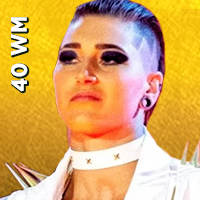 #186
 #187
 #188
 #189
 #190
 #191
 #192
 #193
 #194
 #195
 #196
 #197
 #198
 #199
 #200
 #201
 #202
 #203
 #204
 #205
 #206
 #207
 #208
 #209
 #210
 #211
 #212
 #213
 #214
 #215
 #216
 #217
 #218
 #219
 #220
 #221
 #222
 #223
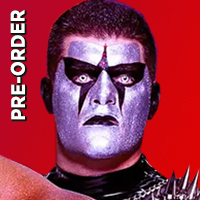 #224
 #225
 #226
 #227
 #228
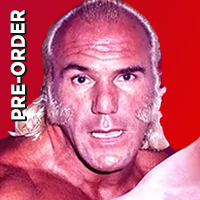 #229
 #230
 #231
 #232
 #233
 #234
 #235
 #236
 #237
 #238
 #239
 #240
 #241
 #242
 #243
 #244
 #245
 #246
 #247
 #248
 #249
 #250
 #251
 #252
 #253
 #254
 #255
 #256
 #257
 #258
 #259
 #260
 #261
 #262
 #263
 #264
 #265
 #266
 #267
 #268
 #269
 #270
 #271
 #272
 #273
Top WWE 2K24 Roster — November 2026
See the full top list →No top list yet this month — your picks and finished rankings start it.
What a grid is for
Every square in the grid has its own category, which you write, and one pick that fits it.
Write categories that start arguments, like most overrated or best in a big moment, and see which image fits each.
273 images, from the TierMaker template “WWE 2K24 Roster”.
Every pick and every finished ranking here counts toward the top WWE 2K24 Roster for November 2026.
Step by step
- Choose how many squares you want.
- Name each square for the award it stands for.
- Fill the squares and drag one onto another to swap them.
- Download image saves a picture of your board with your name or logo on it, and Copy link shares this exact board.